|
As part of our ongoing partnership with parents and carers with regard to keeping our students safe, both online and offline, we have produced this briefing with some reminders and updates.
|
|
Designated Safeguarding Lead: Ms Button
Deputy Designated Safeguarding Leads: Mr Linz
Safeguarding team: Mr Ramsden, Miss Verma, Mr Coulson, Mrs Chaventre, Mr Jessop, Mrs Parsons, Mr Davies, Mrs Whitford, Mrs Rayner, Mr Rayner, Ms Jones
|
|
|
SUPPORT FOR STUDENTS
We continue to remind students of their avenues of support, both in school and out of school – and we encourage all of our students to talk to us at school or to a trusted adult at home about any worries or concerns that they may have.
|
|
There is lots of support available for students in school and we would always encourage students to come and chat with us if they are, at any time, feeling worried, anxious, unhappy or sad.
Form tutors are the first point of contact for students. Students may also, of course, talk to their Head of Year and Progress Leader as well as the Assistant Heads who lead their Key Stage team. Mr Linz, our Student Wellbeing Lead, and our three Deputy Headteachers are also available for students as are our Student Support Team.
If students would prefer to make contact about wellbeing by email, we have a dedicated wellbeing email – smile@littleheath.org.uk which is monitored between 8am and 5pm on weekdays during term time. Little Heath School website has a page dedicated to student wellbeing - Little Heath School - Student Wellbeing and there is a support form accessible from this page.
|
|
|
CONCERNS EMAIL
concerns@littleheath.org.uk
As we have done over previous holidays, we wanted one point of call for emergency contact or safeguarding matters that you feel you need to pass on whilst school is closed for the holiday.
|
|
Please note that this is an information email for emergency or Safeguarding matters ONLY and should not be used for “routine queries”.
This email is: concerns@littleheath.org.uk and it will be monitored on the following dates and times;
- Monday 22 and Tuesday 23 December until 3:00pm each day
- Wednesday 24 December until 12:00pm
- Monday 29 and Tuesday 30 December until 3:00pm each day
- Wednesday 31 December until 12:00pm
- Friday 2 January until 12:00pm
|
|
|
SAFEGUARDING ASSEMBLIES
As part of our commitment to keeping our young people safe, we have run a series of assemblies for all year groups this term. These assemblies have discussed what Safeguarding is , information about our safeguarding responsibilities as a staff body and our duty to keep our students safe. We have talked to students about the importance of appropriate behaviour towards each other.
Year 10 have also received an assembly about Knife Crime from Martin Cosser, founder of Charlie’s Promise.
|
|
|
CHARLIE’S PROMISE
Charlie’s Promise was set up by Martin Cosser, who lost his 17 year old son when Charlie was a victim of knife crime at a party in July 2023. Through Charlie’s story, Martin started this charity to spread Charlie’s story and to educate and inform young people about the dangers and lasting consequences of knife crime. Please do take a look at the charity’s website - Charlie's Promise | Working to prevent knife crime
Thank you to those parents who joined us for the information evening for Parents earlier in the term and for your kind comments to Martin.
|
|
|
RELATIONSHIPS
The NSPCC have advice about healthy and unhealthy relationships and talking with young people about relationships. There is also advice about what to do if parents/carers are concerned at any time.
You can read the advice at: Healthy relationships | NSPCC
|
|
|
VAPING
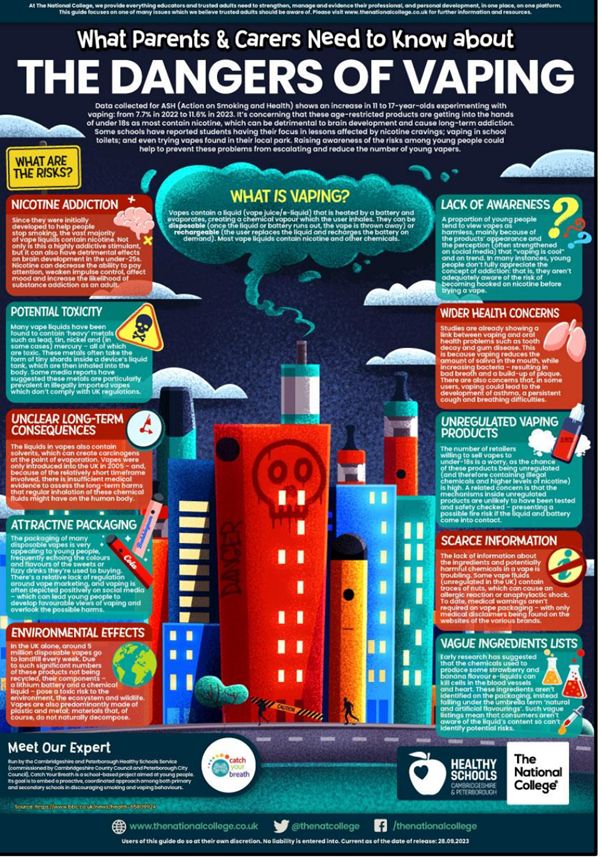
There has been a lot of concern about vaping and the harmful effects for children and young people, including health, addiction and the effect on mood. Vaping can be a lot more discrete than smoking, and may be happening without an adult being aware.
Further information can be found at:
|
|
|
|
SEASONAL SAFETY
In the midst of darker afternoons and evenings, please remind children and young people to:
- Walk home with others where possible.
- Use well-lit routes and avoid shortcuts.
- Wear reflective clothing or accessories when cycling or walking.
- Be cautious around busy roads and crossings.
- Know their emergency contacts and how to ask for help.
|
|
|
POPULAR APPS
TikTok
- Content can be inappropriate for younger users despite being age-rated 13+.
- The “For You” page uses algorithms that may show harmful content unintentionally.
- Encourage use of Family Pairing, which lets parents link their account to their child’s.
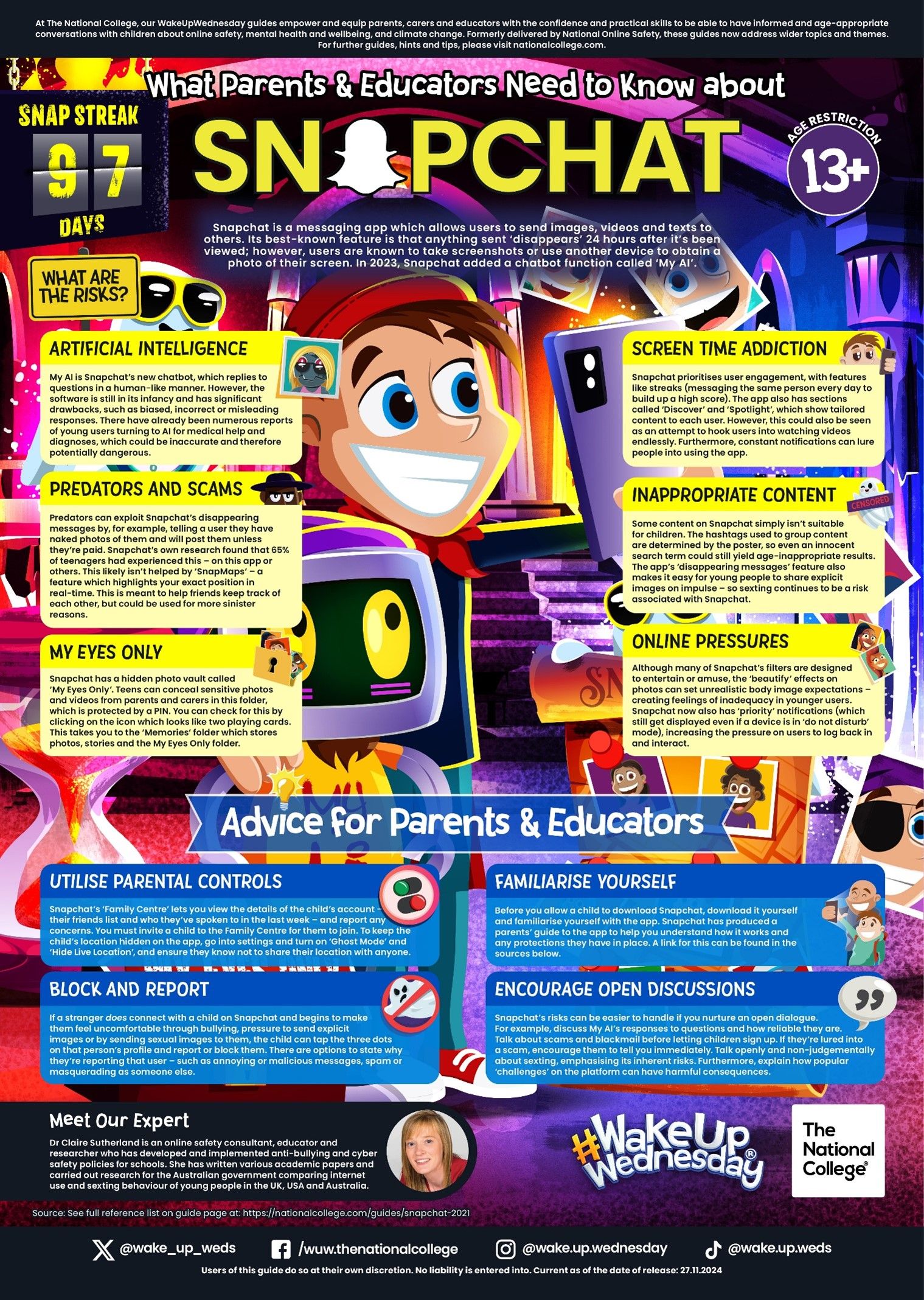
Snapchat
- Features such as disappearing messages and Snap Maps can make monitoring difficult.
- We advise switching Snap Map to “Ghost Mode” to hide the child’s location.
Roblox & Online Gaming
- Many games include chat functions where strangers may attempt contact.
- Remind children not to accept friend requests from people they don’t know.
- Use Roblox’s internal parental controls to disable chat or limit access to age-appropriate games.
|
|
|
NEW SOCIAL MEDIA AND GAMING TRENDS
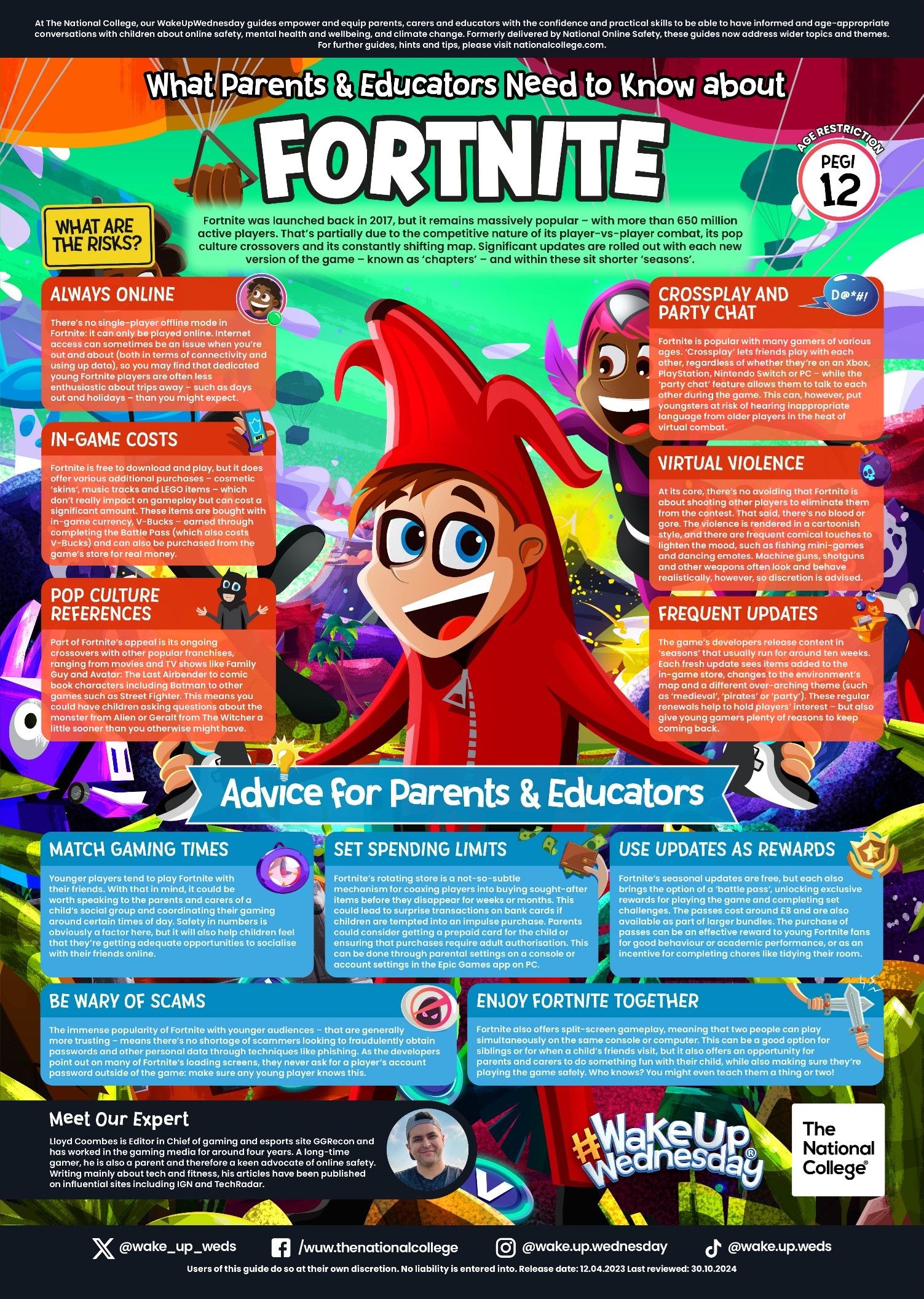
Many pupils are engaging with platforms such as TikTok, Roblox, Fortnite, Snapchat, and Discord. While these can be fun and creative spaces, they also present risks such as unwanted contact, exposure to inappropriate content, and pressure to share personal information.
Tips for Parents:
- Check age ratings (most social platforms are 13+).
- Keep accounts private and review privacy settings regularly.
- Encourage children to only chat with people they know in real life.
- Use parental controls on devices, home Wi-Fi, and apps.
- Talk openly about what they do online—curiosity, not judgment, helps keep communication open.
Updated Guidance on AI Chatbots
Children are increasingly exploring AI tools—both for fun and for schoolwork.
This brings new challenges:
Potential Risks:
- Exposure to content that appears authoritative but may be false.
- Pressure to generate images or text that could be inappropriate.
- Sharing personal information with online systems.
Parent Tips:
- Help children understand AI is not always correct. Encourage them to check with adults.
- Discuss why they must never share personal information, photos, or school details online.
- Remind them that digital footprints remain even when content seems temporary.
Recommended Resources for Parents
- National Online Safety: Guides to apps, games, and safety tips.
- ThinkUKnow (CEOP): Advice on keeping children safe from online harm.
- Internet Matters: Parental controls support and advice for all ages.
|
|
|
LOOK CLOSER
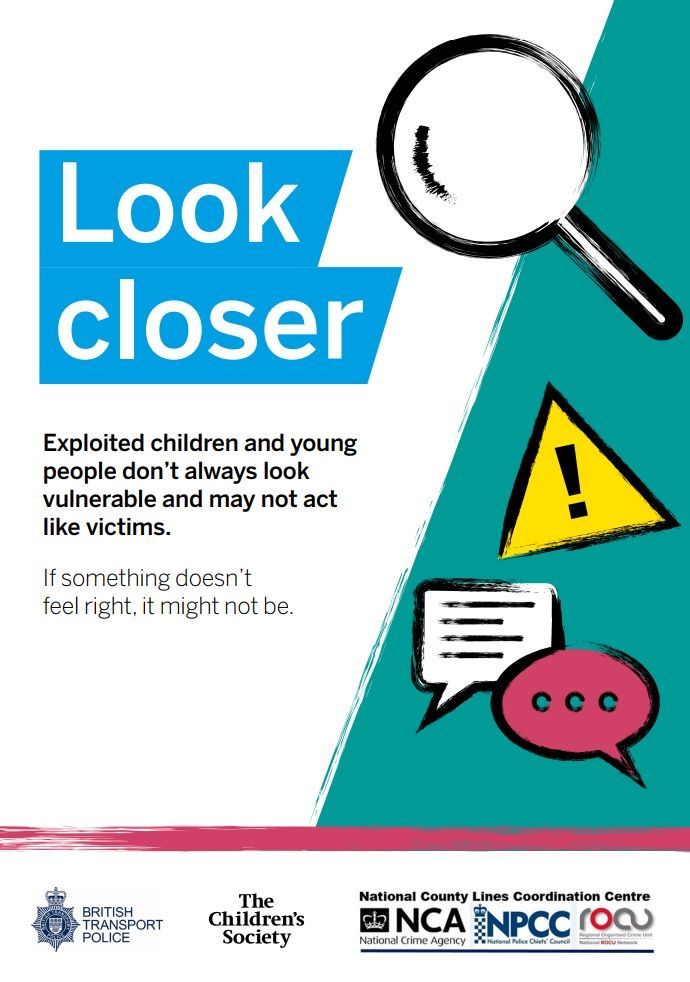
The Childrens’ Society has partnered with the British Transport Police and the National County Lines Coordination Centre on an award-winning “Look Closer” campaign to raise awareness and advice about the exploitation of young people. On the website, parents can find information around the signs of exploitation/signposting and reporting mechanisms. There are lots of downloadable materials on their website:
|
|
|
|
ALCOHOL
The Alcohol Education Trust offers advice to parents about discussing drinking with young people.
See the guide below:
Talking About Alcohol: A guide for parents and carers
|
|
|
PARENTS PROTECT WEBSITE
The website is designed to help parents and carers protect children from sexual abuse and exploitation. It has lots of information and advice, including a confidential helpline.
The website can be accessed at Parents Protect
|
|
|
|
ATTENDANCE AT SCHOOL
The Department for Education has published a blog which reinforces the importance of attendance at school. The blog explains the effects, on wellbeing and development, of children missing out on school.
You can read the article at: Why is school attendance so important and what are the risks of missing a day? - The Education Hub (blog.gov.uk)
|
|
|
PARENTING SMART
Place2Be has a website designed to support parents with typical situations that they may experience with their child. There are a wide range of topics and tips available.
|
|
|
|
STAY TRUE TO YOU
This website supports positive conversations with young people about staying safe - Practitioners - Stay True to You
|
|
|
|
|
|
|
|
SEXTORTION
All schools in the UK were recently sent information from the National Crime Agency, raising awareness of the recent rise in reporting of financially motivated sexual extortion (a type of online blackmail often known in the media as ‘sextortion’). Children and young people worldwide are being targeted.
|
|
This type of crime involves an adult offender (often from an organised crime group based overseas) threatening to release nude or semi-nude images and/or videos of a child or young person, unless they pay money, or meet another financial demand, such as purchasing a pre-paid gift card.
Victims of any age and gender can be targets. However, a large proportion of cases have involved male victims aged 14-18. A child or young person is never to blame if they have been a victim. Offenders will have tricked, groomed and/or manipulated them into sharing an image. Find out more about online blackmail on CEOP Education’s parents and carers website:
|
|
|
Talking to your child
It’s important to have frequent, open and non-judgemental conversations with your child about relationships, sex and being online to build trust and support them if something goes wrong. Financially motivated sexual extortion should be included in those conversations.
Here are some tips about how to approach this:
|
|
- Chat regularly about their life online: have ongoing conversations with them about their life and time online. Continue to take an interest as they grow, explore new apps and sites together and talk in a balanced way, considering the benefits and the potential harms.
- Talk about where to find information about relationships and sex: organisations like CEOP Education, Childline and Brook have age appropriate advice topics such as sexual communication and image sharing. This will help your child to understand what unhealthy relationships look like, such as applying pressure and blackmail; and give them trusted sources of information to explore these topics. Protecting the public from serious and organised crime.
- Review privacy settings: talk to your child about the importance of using privacy settings on their accounts to restrict who can contact them. Read CEOP Education’s advice on how to talk your child about their privacy settings: A parent's guide to privacy settings (ceopeducation.co.uk)
- Make sure they know where to go for support: let them know that they can come to you with any concerns and won’t be judged. It’s also important to make them aware of other trusted adults or sources of support, if they feel they can’t talk to you, such as Childline.
- Make sure they know where to report: remind your child how you can help them to report an incident to the police or using the CEOP Safety Centre. Let them know that if a nude or semi-nude of them has been shared without their consent, they can take these 3 steps to try and get them removed:
-
Use Report Remove | Childline, a tool from Childline and the Internet Watch Foundation. Your child can use this to remove images that have been shared or might be shared.
-
Use Take It Down (ncmec.org), a tool from the National Center for Missing and Exploited Children. Your child can use this to remove or stop the online sharing of images or videos.
-
Report directly to the platform or app that the incident has occurred on. For advice on how to report to major social media platforms, visit Internet Matters - Report online issues to protect your child.
|
|
To learn more about what resources are available to help you support your child, visit the UK Safer Internet Centre: saferinternet.org.uk.
|
|
What can I do if this has happened to my child?
If your child tells you that someone is trying to trick, threaten or blackmail them online:
- Don’t pay, do stop contact and block: you may be tempted to pay, but there is no guarantee that this will stop the threats. As the offender’s motive is to get money, once you have shown you can pay, they will likely ask for more and blackmail may continue. If you have paid, don’t panic but don’t pay anything more. Help your child to stop all communication with the offender and block them on any accounts that they have been contacted on.
- Avoid deleting anything: try not to delete anything that could be used as evidence such as messages, images and bank account details. Protecting the public from serious and organised crime
- Report to the police or CEOP: call 101 or 999 if there is an immediate risk of harm to your child. Or you can use the CEOP Safety Centre to report any online blackmail attempts. If it has already happened and your child has shared an image and sent money to someone exploiting them:
- Reassure them that they’ve done the right thing by telling you: make sure they know they are not to blame for what has happened and they have done the right thing to ask for your help. Children and young people’s mental health may be negatively impacted by experiences of exploitation; you can find advice on looking after your child’s mental health from the NHS here: Children's mental health - Every Mind Matters
- Report to the police or CEOP: call 101 or 999 if there is an immediate risk of harm to your child. Or you can use the CEOP Safety Centre to report an incident. If your child is 18 and over, call 101 or 999 if they are at risk of immediate harm.
Report any images or videos that have been shared: help your child to remove images that are online or prevent images being shared online by following the steps outlined above.
|
|
|
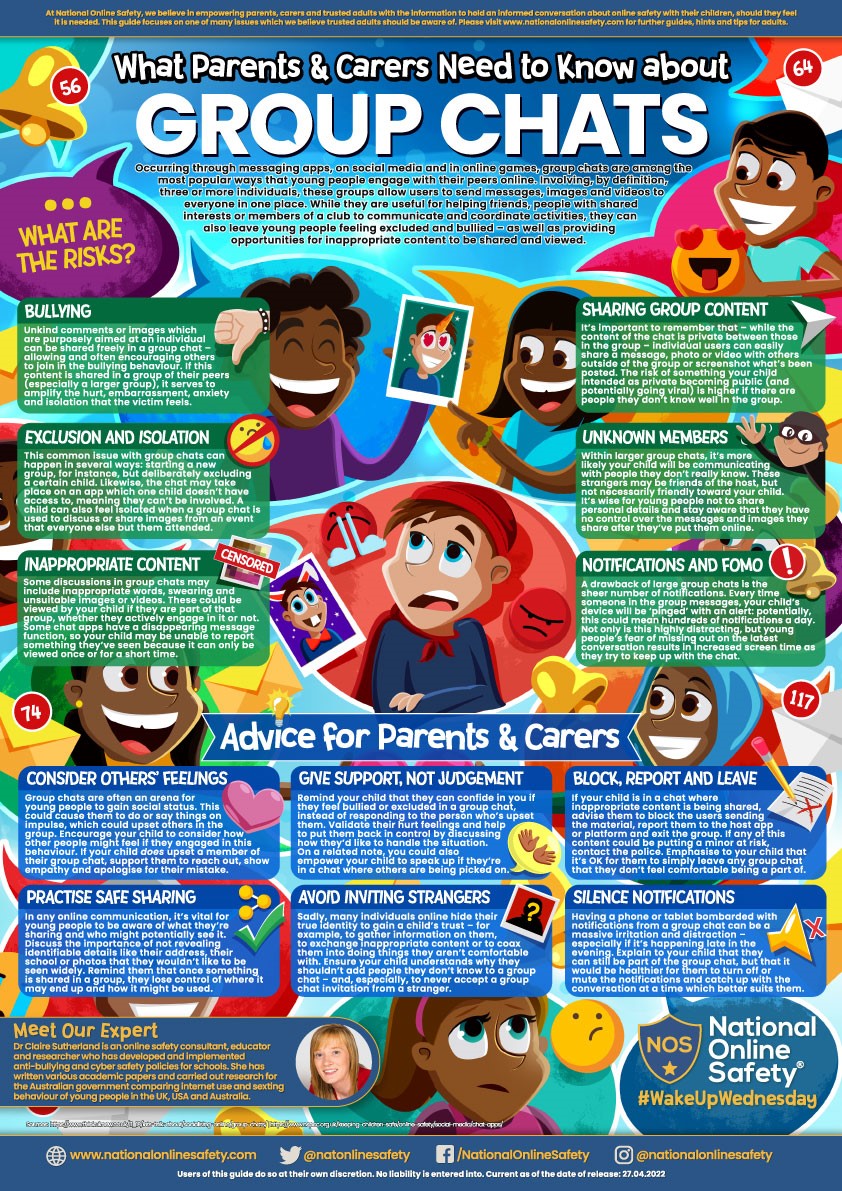
WHATSAPP GROUP CHATS
Users in group chats can see each other’s contact information, so if your child is added to a group with people they don’t know, they can then be contacted, sometimes in an inappropriate way, by those people.
Please support your child by closely monitoring their use of apps to avoid them being placed in this potentially vulnerable position.
|
|
|
SAFETY PHONES
The Safety-First Smartphone The Other phone is a new smartphone, which includes “SafetyMode” software. The software automatically blocks nudity, profanity, and bullying language in real time. You can find out more here: https://otherphone.co.uk/.
Smart Phone Free Childhood also list some alternatives that you could consider here: https://www.smartphonefreechildhood.org/alternatives.
Please note, that the inclusion of these models does not constitute an endorsement or recommendation. While these devices may provide a ‘safer’ alternative to traditional smartphones, there are still potential risks associated with children using any type of phone.
|
|
|
GAMING CONSOLES.
Check age ratings: look at the PEGI rating of any new games. Remember, PEGI rates the gameplay so whilst it is important to review age ratings, you must also check to see if it has any communication elements.
- If a game does allow your child to communicate with others, then adjust or disable the settings as appropriate to your child.
On the device itself, set up applicable controls such as restricting spending limits. Follow the links below to find out how to set up Parental Controls for popular devices here:
Xbox: https://www.xbox.com/en-GB/family-hub
PS5: How to set parental controls on PlayStation consoles
Nintendo Switch: Nintendo Switch 2 – Nintendo Switch Parental Controls | Hardware | Nintendo UK
|
|
|
|
|
|
ONLINE SAFETY
If your child is ever upset by anything they have received via text or via a social media site, please report to your mobile phone provider, or, if online, via the reporting functions on social media sites. Students are reminded that if they receive anything that concerns or upsets them, they should not reply; they should block the person and they should tell an adult.
|
|
CEOP is also available if a child has been contacted in an inappropriate manner or if they are in danger of being tracked or abused. The CEOP website allows you to complete an online form which goes directly to the police. This is for when someone is in danger from another person.
You can make a report here:
|
|
|
|
|
HOW CHILDREN UNDERSTAND SOCIAL MEDIA
The Conversation UK have produced the following article about how teenagers navigate social media:
|
|
|
|
CHATTING ONLINE
Many young people spend a great deal of time communicating with others online.
You need to be aware that there are people who may use these games to start chatting to your child and then encourage them to chat on alternative apps (which are more private, encrypted or have fewer safety options).
|
|
Mitigating the risk
- Ensure your child is accessing age-appropriate apps/games and that appropriate parental controls are set up.
- Chat to your child about the risks (inappropriate chat, contact from strangers, bullying, sextortion)
- Depending on the age of your child, it may be more appropriate for devices to be used in family rooms so you can monitor what they are doing and if they are chatting to others
- Makesure that you and your child know the reporting functions available on the platform they are using
- Makesure your child understands the importance of blocking anyone who makes them feel uncomfortable
|
|
Further information and advice is available at ceopeducation.co.uk
|
|
SEXTING
The NSPCC have produced some advice for parents to support them in having conversations with children about sexting.
You can access the advice at www.nspcc.org.uk
|
|
CEOP (Centre for Online Protection and Exploitation) have a resource for parents and carers entitled “nude selfies: what parents and carers need to know”. You can find this resource on their website at www.thinkuknow.co.uk/parents
We remind parents/carers to be vigilant about what their children are receiving and sending online. Young people are at risk of receiving potentially harmful content such as nudes. Young people may ask for, or take and send such pictures. Should you become aware of any such content, please take measures to ensure that your child does not save or pass it on. Adults should do everything they can to avoid seeing explicit pictures of children themselves. Sending or passing on pictures of children is illegal, even if the sender took the picture of themselves. You should inform the police via 101 or online if you are made aware of a child sending, being sent or being asked for nudes.
|
|
|
USEFUL APPS AND WEBSITES
Please find below a series of apps which we hope might be helpful.
Websites:
|
|
|
|
|
|
Parental controls have been designed to help you manage your child's online activities. There are various types, some of which are free but others which can be bought. However, nothing is totally fool proof so they shouldn't replace the need for you to support and advise your child using the internet. For more information and step by step instructions on setting up parental controls, visit www.internetmatters.org
Have an Ongoing Conversation
Continue to talk about the apps, games and sites they like to use, and what they like and don’t like and any concerns about being online. Discuss with them when to unfollow, block or report. For help starting this conversation, read having a conversation with your child.
Be non-judgemental
Explain that you would never blame them for anything that might happen online, and you will always give them calm, loving support.
Make sure they know where to go for support
Remind your child they can always speak to you or an adult they trust if anything happens online that makes them feel worried or upset.
Talk about how their online actions can affect others
If your child is engaging with peers online, remind them to consider how someone else might feel before they post or share something. If they are considering sharing a photo/video of somebody else, they should always ask permission first.
Make sure they know about NCA CEOP
Young people can report a concern about grooming or sexual abuse to NCA CEOP at www.ceop.police.uk/safety-centre/ and get support from a specialist Child Protection Advisor.
Tell them about Thinkuknow
Our websites provide open and honest guidance for young people on friends, relationships and the internet, covering topics like dealing with pressure; consent; and getting support when you’re worried. Visit our website for 11-18 year olds for age appropriate information.
|
|
|
Tips for Open Discussions about Digital Lives
|
|
|
|
CEOP supports parents and carers in protecting their children from abuse online.
The site provides advice for parents who are concerned about their children, as well as those just looking to learn more about what they can do to keep their children safe.
|
There are guides to social media sites, information and advice and this site has up to date advice for parents on some of the latest issues.
Please do take the time to visit this site:
www.thinkuknow.co.uk/parents
|
|
The NSPCC website also has various other resources for parents relating to online safety and to holding conversations with young people about staying safe whilst online.
|
We would recommend that all parents have a look at www.nspcc.org.uk
|
|
Internet Matters has a range of online safety advice for parents:
|
|
Online grooming - IWF safety campaign aims to help parents have conversations with their children about keeping their 'door' closed to child sexual abusers.
|
Further information and advice can be found at iwf.org.uk
|
|
EAL resources for online safety can be found at:
|
|
|
|
There is support available for parents and carers to support the wellbeing of young people:
|
|
|
|
Place2Be has support for Parents and Carers
Place2Be
|
|
Emotional Health Academy
Young people, families and professionals can refer to the Emotional Health triage.
|
Find out more and to access the online referral form at: info.westberks.gov.uk/eha
|
|
Good Thinking website with resources for parents/carers to help them support young people
Parents and carers | Good Thinking (good-thinking.uk)
|
|
|
|
|
|
|